A changelog says what you shipped. It has never had a good answer to the two questions that come before that: what do people want, and what are you doing about it. As of 1 October 2026 a Relnotely changelog can carry both answers, as two more tabs on the same page: Feedback and Roadmap.
Both tabs sit on your own domain, in your colours, beside the changelog you already have. There is no badge of ours on either. The only mention of us is the small print under the sign-in form, which says who stores the address, as the subscribe form already does.
The Feedback tab
The board is a list of ideas, most voted first. Anyone can read it, search it, sort it by newest and filter it by status or topic. None of that needs a sign-in or JavaScript.
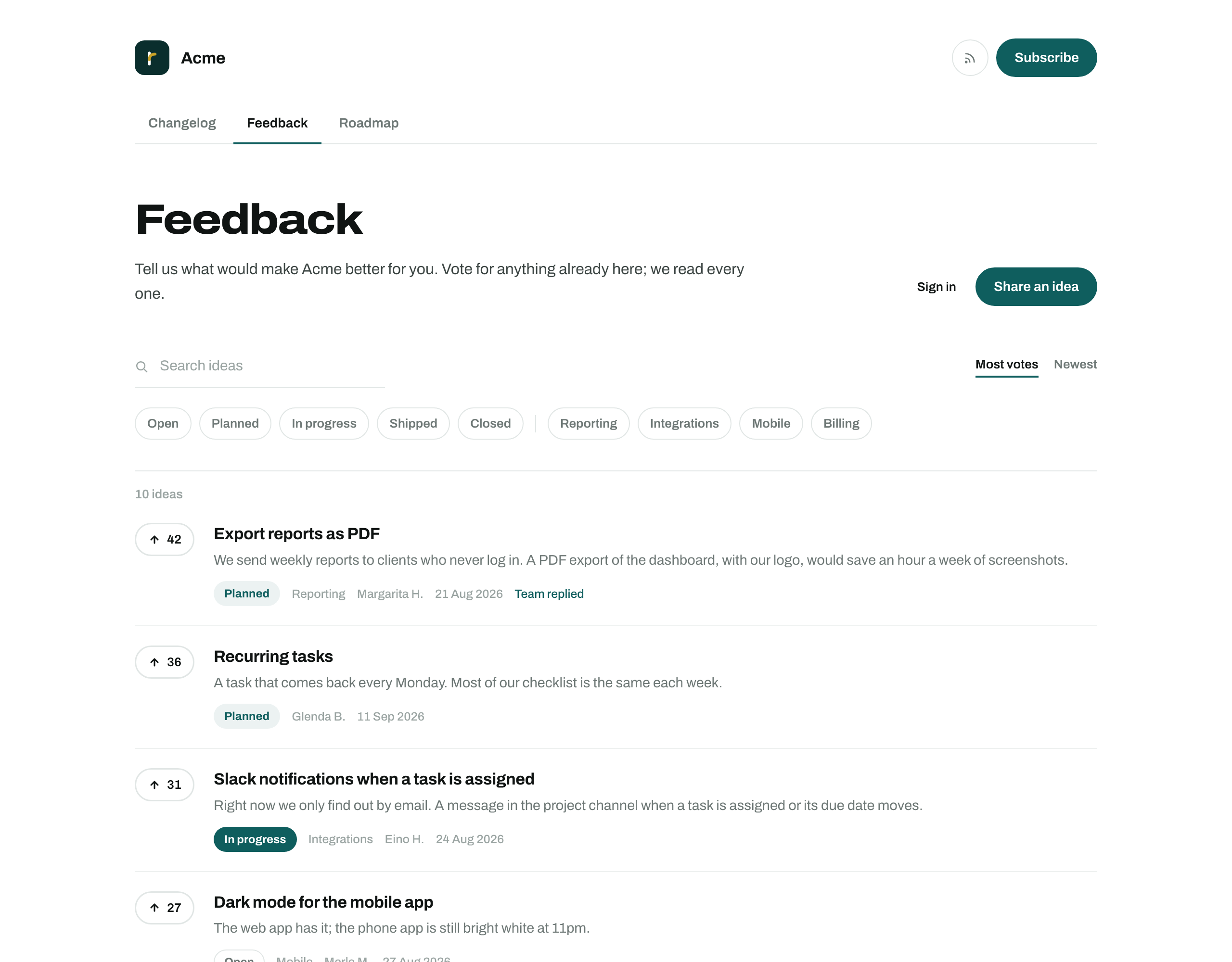
Posting and voting need an email address, and nothing else. A reader enters it, gets a link, and follows it. The link works once, for 30 minutes, and lands on a page with a button, so a mail scanner that opens every link cannot spend it. After that the reader stays signed in on your site for 90 days.
A few details that matter more than they sound:
- One vote each. A vote is a toggle. Pressing it again takes it back.
- Duplicates are caught while typing. After three words of a title, the form lists ideas that read alike, each with a vote button, so a repeat becomes a vote.
- Names are short. The board shows a first name and an initial, like "Ada L.". Email addresses are never shown.
- Ideas are plain text. Links work. Formatting and images are not accepted, so nobody can dress a board up as something else.
What you do with an idea
Every idea opens in the dashboard with the things you can do to it on one page.
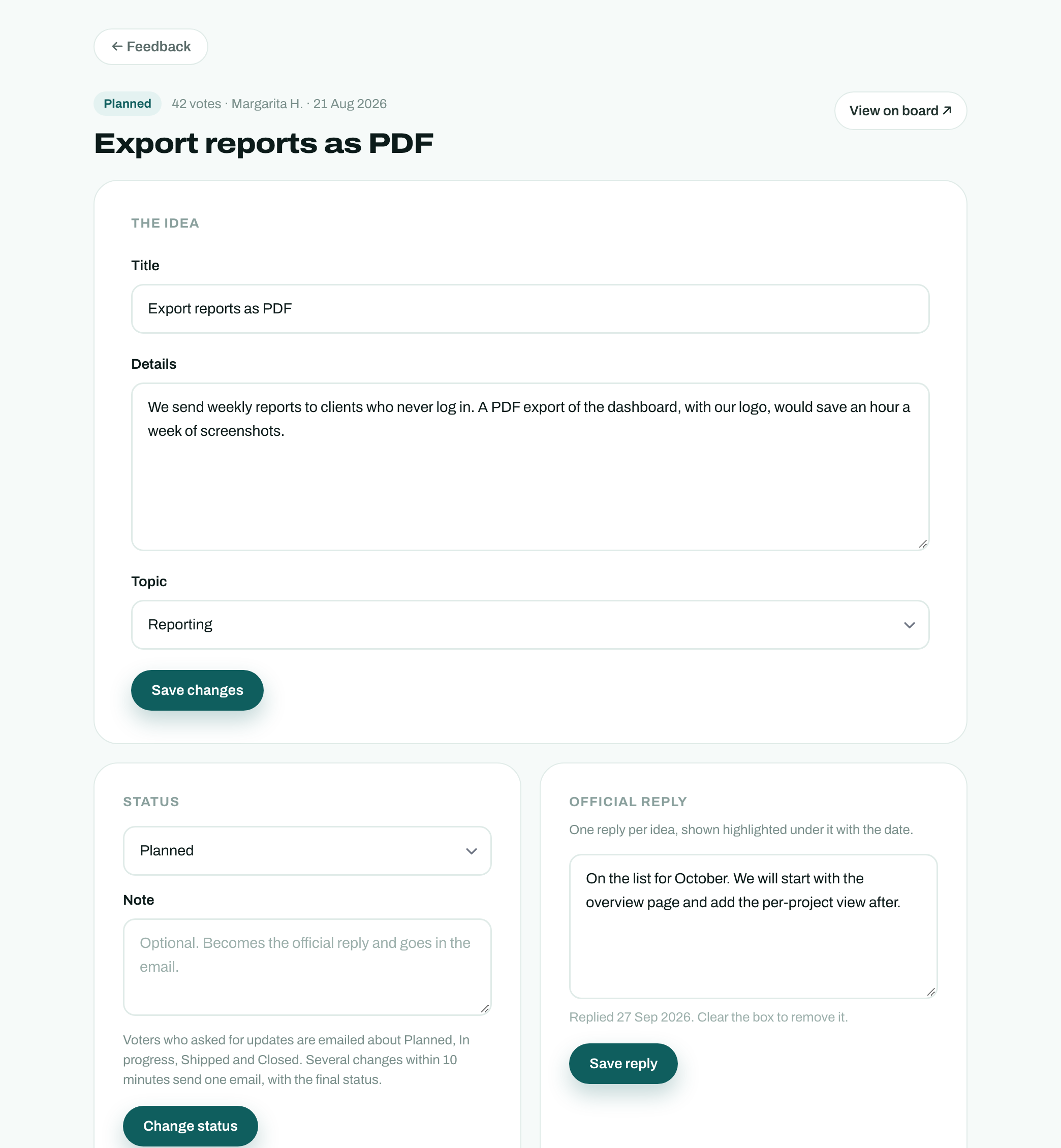
- Approve or reject. Review before publishing is on for a new board. Until you approve an idea, only its author can see it.
- Set a status. Open, Planned, In progress, Shipped or Closed. Closing asks for a reason, which is shown on the idea.
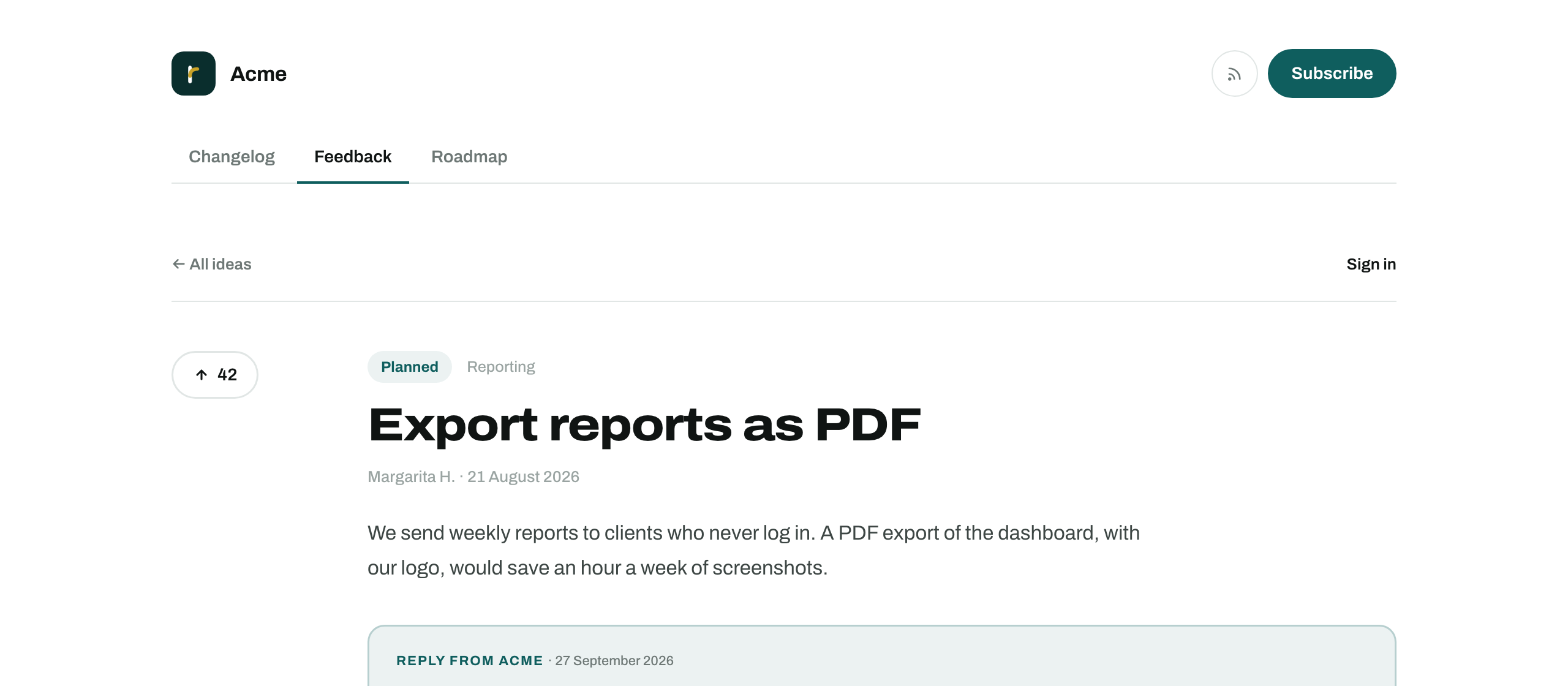
- Reply once. Each idea has one official reply, shown highlighted under it with your name and the date.
- Merge. Fold a duplicate into the original. Its votes move across, one per voter, and its old address redirects.
- Edit. Fix a title or file an idea under a topic. The author's original wording is kept in the idea's history.
This is what a reader sees once you have replied:
Spam is handled without a CAPTCHA. A hidden field, a timer on the form and your own list of blocked words send a suspicious idea to the review queue instead of the board. So do rate limits: an idea that trips one waits for you, and is not refused.
The Roadmap tab
The roadmap is the same ideas, grouped by status into three columns: Planned, In progress and Shipped. Each column is sorted by votes. Shipped shows the last 90 days, so the column stays a record of recent work and does not grow forever.
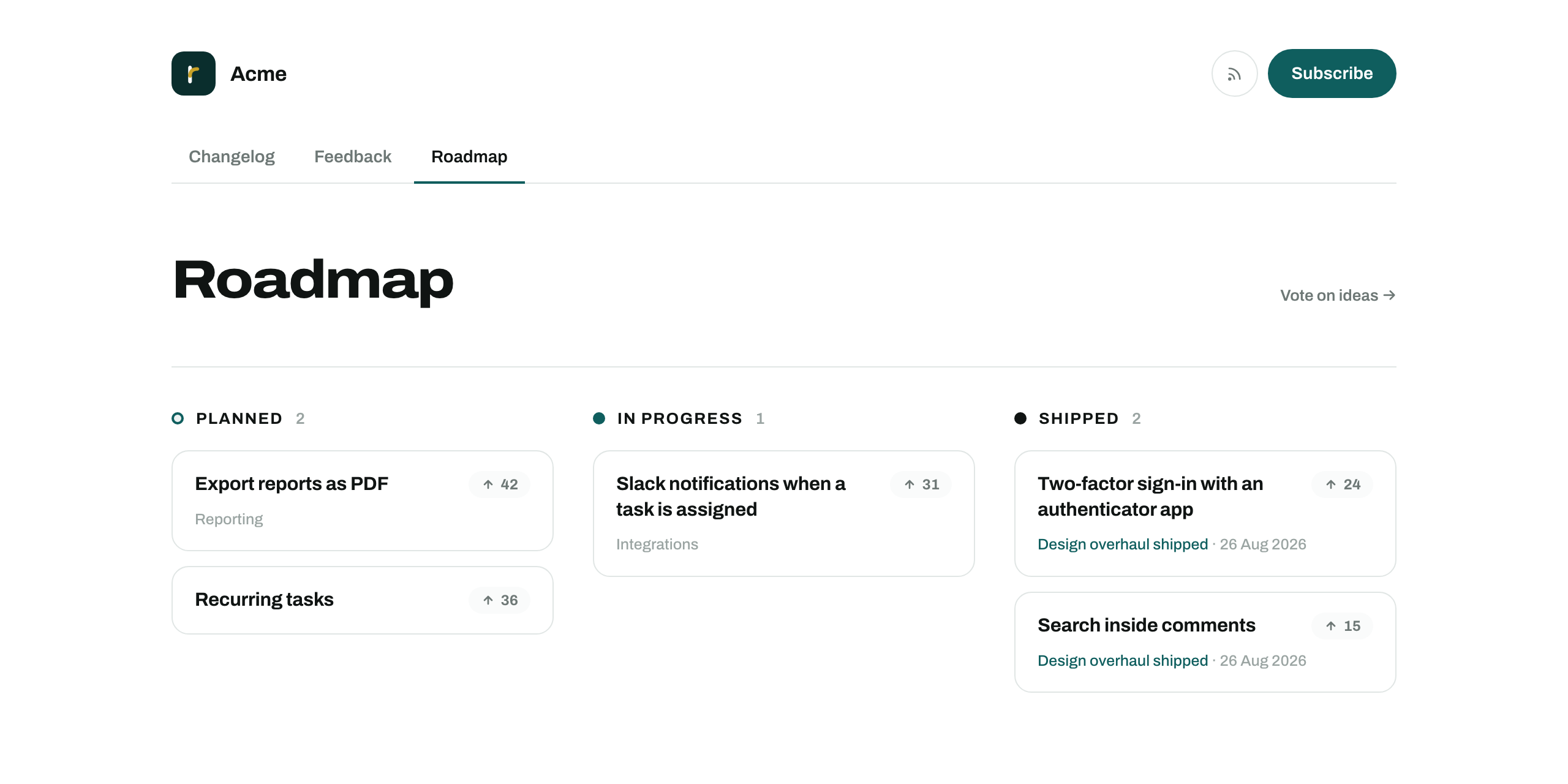
You do not maintain it separately. Setting an idea to Planned puts it on the roadmap. An idea you would rather not promise in public can be hidden from the roadmap and stay on the board.
Closing the loop
This is the part a separate feedback tool cannot do, because it does not know about your changelog.
When you write the entry that ships an idea, the editor has a picker called Ideas this ships. Search by title, link as many as the entry delivers, and publish. Three things follow:
- Each linked idea moves to Shipped and shows Shipped in, with a link to the entry.
- The entry's page lists the ideas under Asked for on the Feedback board, with their votes.
- Each voter who asked for updates gets one email naming the ideas of theirs that shipped.
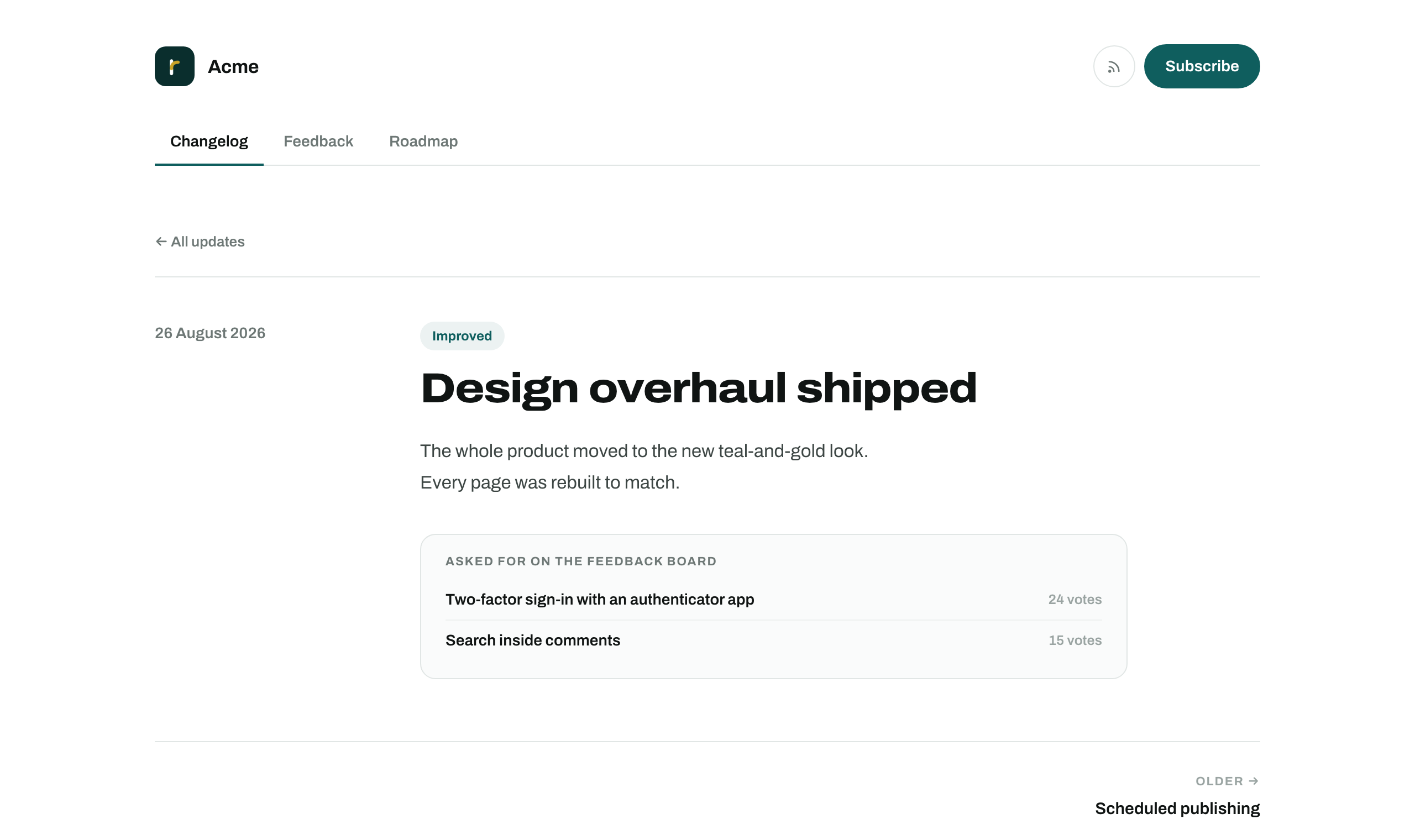
The email goes out once per entry. Editing the entry afterwards never repeats it. A voter who is also a subscriber gets the subscriber email only, not both.
What voters are emailed, and how they leave
Nobody is emailed by default. The sign-in form has one unticked box: "Email me when ideas I post or vote for change status". Voters who tick it hear about Planned, In progress, Shipped and Closed.
Status changes are held for ten minutes before anything is sent. If you change your mind twice in that time, the voter gets one email with the final status. Every email has a link that stops updates for that idea or for the whole board, and a voter can delete their data from the board's account page at any time.
Turning it on
In the dashboard, open Feedback, then Board settings. There is a switch for each tab, both off until you turn them on. The same page holds the intro text shown above the board, up to ten topics, the blocked words, and a daily or weekly digest of new ideas for you.
Both tabs are included in the one plan. Voters and ideas are not counted, and there is no tier above this one to move to. If you are still choosing a tool, the comparisons show how the others price a board, and what a changelog is for is the place to start if the changelog itself is new to you.